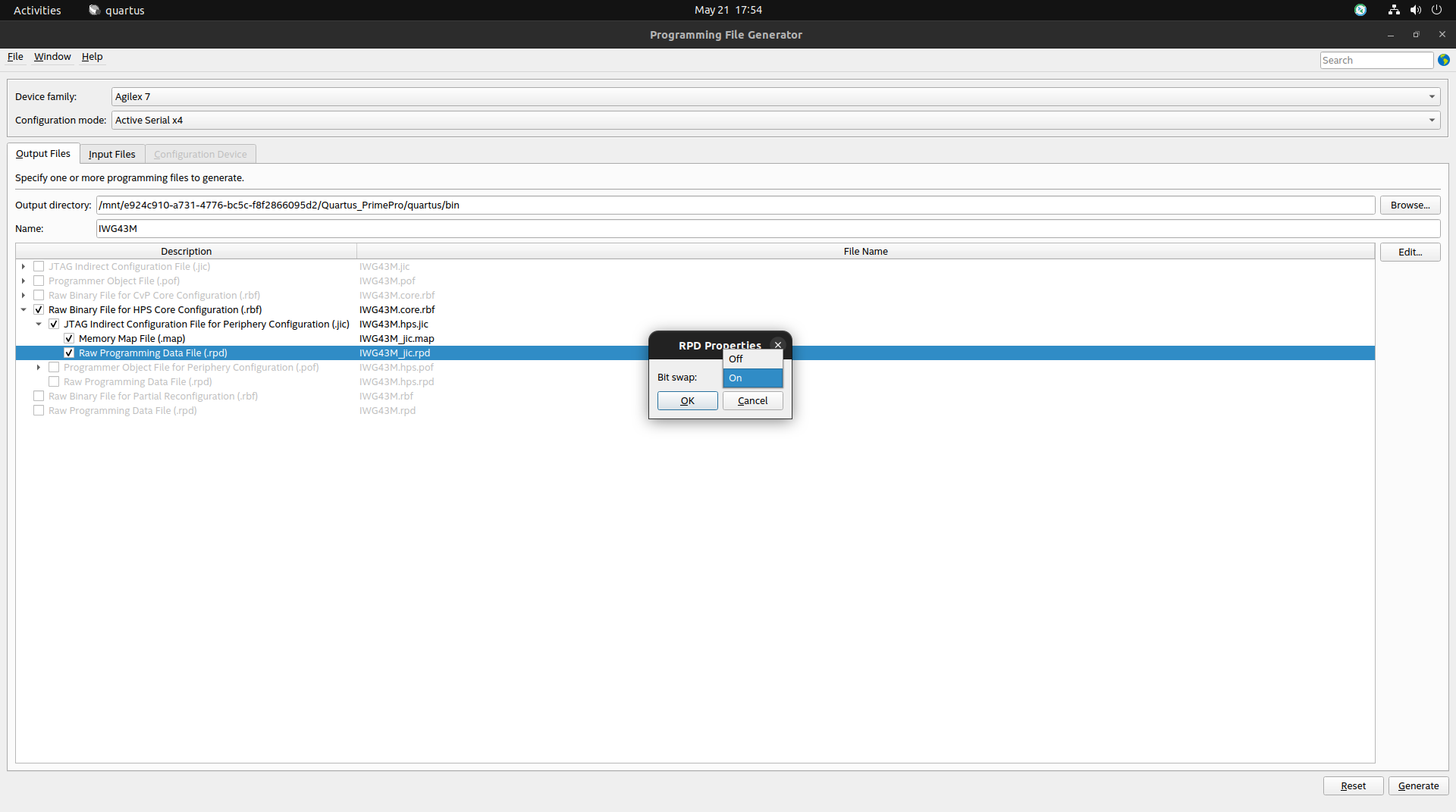
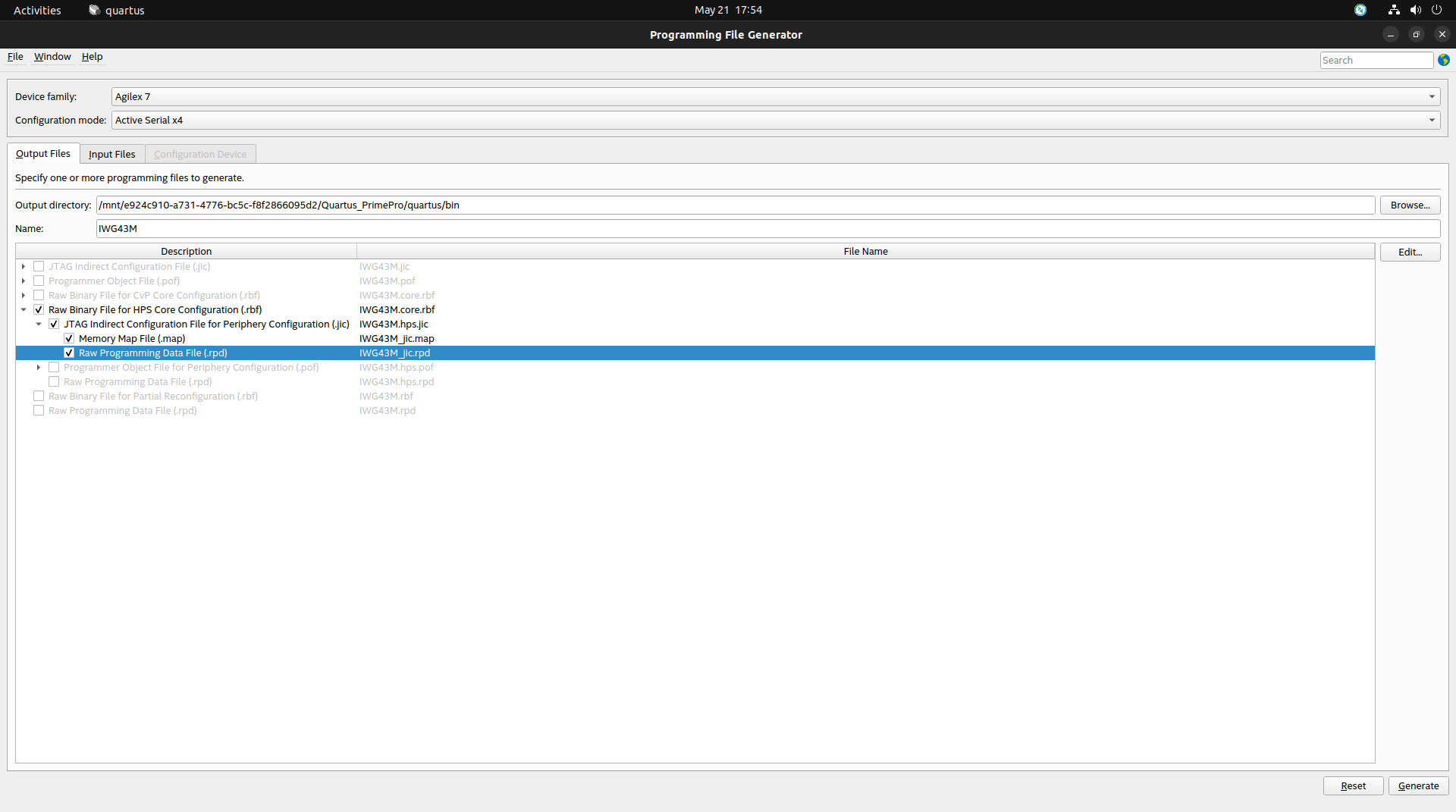
The .rpd file can be generated during .jic file creation in the Quartus tool by enabling the Raw Programming Data File (.rpd) option. Please ensure that bit-swapping is enabled while generating the .rpd file. Kindly refer to the attached images for reference.
Copy the generated .rpd file to a USB pendrive and use the following commands in Linux to flash the image:
root@agilex7iwg43m:~# flash_erase /dev/mtd0 0 2048
root@agilex7iwg43m:~# mtd_debug write /dev/mtd0 0 $(stat -c%s /run/media/sda1/IWG43M_jic.rpd) /run/media/sda1/IWG43M_jic.rpd
Important Note: If the file is flashed incorrectly, the board may fail to boot.
Enabling FPGA Manager only allows loading of the .rbf file in Linux and does not update the complete QSPI image.
Please refer to the following RocketBoards article for detailed instructions on enabling FPGA Manager:
https://www.rocketboards.org/foswiki/Documentation/Agilex7ConfiguringFPGAFabricFromLinux
For further product inquiries, please get in touch with our sales team at mktg@iwave-global.com
Please find the detailed product information here:
Agilex™ 7 (R31A/R31B/R31C) SoC FPGA System on Module