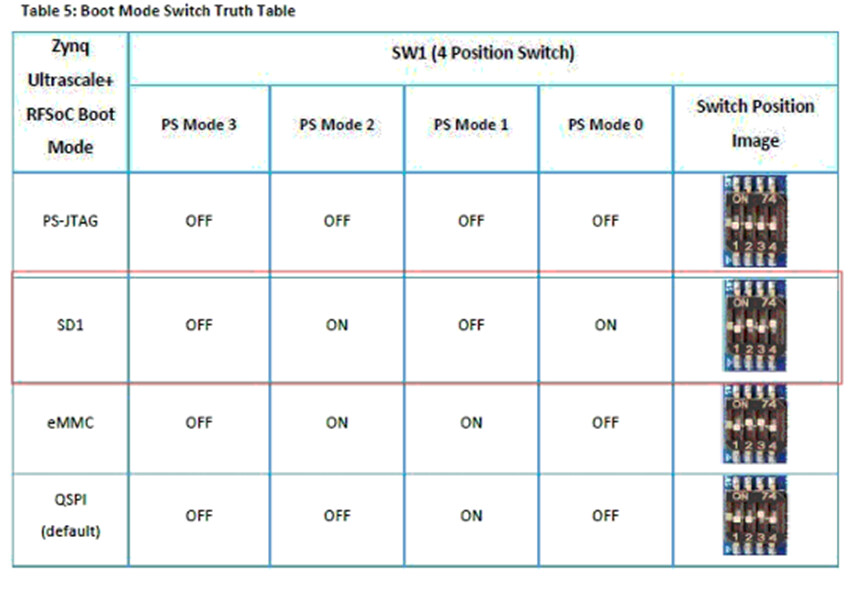
To boot from MicroSD, follow the below steps,
- Set the boot switch as shown in the below image.
- Copy the binaries from the FTP to MicroSD card. (Connect with iWave representative for FTP details).
Booting from Micro SD:
- If bootable binary is present in Micro SD, initially SoC will send 400KHz SD clock for initialization and then shift to high frequency clock.
- If bootable binary is not present in MicroSD, there won’t be any clock after initial 400KHz.
For further product inquiries, please get in touch with our sales team at mktg@iwave-global.com
Please find the detailed product information here:
ZU49/ZU39/ZU29DR RFSoC System on Module